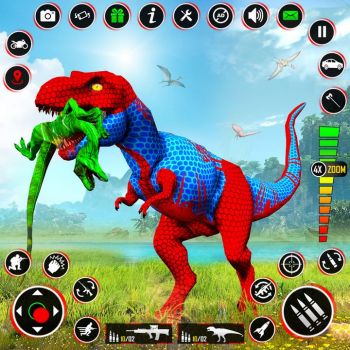
What Awaits Players in Dinosaur Game 3d
Immersive Three Dimensional Landscape
Dinosaur Game 3d transports players into a vivid prehistoric world rendered in full three dimensional detail. The environment feels alive with rolling hills, dense jungles, and towering volcanic ranges that react to the player’s movements. Every step is accompanied by realistic shadows and dynamic lighting that change as the sun travels across the sky. This visual depth creates a sense of scale that makes each dinosaur feel truly massive and each obstacle feel significant.
Dynamic Challenges and Reward Systems
The core loop of the game revolves around navigating treacherous terrain while completing a series of objectives. Players encounter timed races, puzzle platforms, and combat encounters that require quick reflexes and strategic planning. Successful completion of these challenges grants experience points, unlockable skins, and power‑ups that enhance the dinosaur’s abilities. The reward system encourages repeated play and offers a clear sense of progression.
Exploring the World and Mechanics
Movement Controls and Interaction Options
Movement in Dinosaur Game 3d is designed to feel both intuitive and powerful. The control scheme allows for smooth running, precise jumping, and swift dodging. Players can also interact with environmental objects such as breakable crates, hidden switches, and collectible fossils. Each interaction triggers a short animation that adds to the feeling of presence within the ancient world.
Progression Paths and Customisation Choices
As players accumulate experience, they unlock a branching skill tree that tailors each dinosaur’s strengths. Options include increased speed, stronger attacks, and enhanced stamina for longer runs. In addition to skill upgrades, cosmetic customisation lets players apply patterns, colours, and accessories that reflect personal style. This blend of functional and aesthetic upgrades keeps the experience fresh over many sessions.
How to play
Basic Controls
- Use the arrow keys or WASD to move the dinosaur forward, backward, left and right.
- Press the space bar to jump over obstacles or reach higher platforms.
- Hold the shift key to sprint and cover ground more quickly.
- Tap the E key to interact with objects such as crates, switches or collectible items.
Advanced Moves
- Double tap the forward key to perform a short dash that can evade enemy attacks.
- Press the control key while moving to crouch, allowing the dinosaur to slip under low barriers.
- Combine a jump with a dash to execute a long‑range leap over large gaps.
- Use the mouse to aim and release a roar ability that temporarily stuns nearby foes.
Frequently Asked Questions
Can I play Dinosaur Game 3d on a mobile device?
The official version of the game is built for desktop platforms and requires a keyboard and mouse for full control. A mobile‑compatible version has not been released at this time.
How many different dinosaur species are available?
The game currently offers a selection of five distinct dinosaur species, each with its own unique abilities and visual design. Additional species may be added in future updates.
Is there a multiplayer mode?
Dinosaur Game 3d focuses on a single‑player experience. Multiplayer features are not part of the current release.
Do I need an internet connection to play?
An internet connection is required only for the initial download and for checking for updates. Once installed, the game can be played offline.
What are the system requirements for optimal performance?
The game runs best on a computer with a modern processor, at least eight gigabytes of RAM, and a graphics card that supports DirectX 11. A stable internet connection is recommended for downloading updates.